/modlogs - Moderation Command
Get a list of moderation logs for a user.
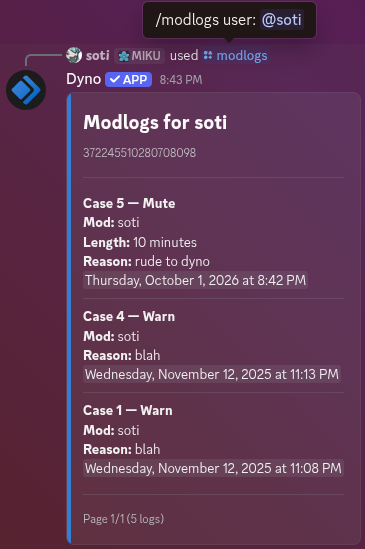
With the modlogs command, you can list all moderation logs for a user. This will include all moderation actions given to them by a moderator.
Cooldown: 20 seconds
Slash Command
/modlogs
Arguments
user
user
Required
The user to retrieve moderation logs for.
page
integer
Optional
The page number to view, if there are multiple pages of logs. Defaults to 1.
Example
/modlogs user:NoobLance page:2
Mention Command
@Dyno modlogs [user] (page)
e.g. @Dyno modlogs NoobLance 2
Example
Notes:
- There is no way to clear any moderation logs in this command.
- To account for Discord's character limits, reasons get truncated. To see the full reason, use the /case command.