With the addemote command, you can easily add an emote to your server using an image link or file.
Cooldown: 10 seconds
Slash Command
/addemote
Arguments
name
string
Required
The name the new emote will have.
link
string
Optional
The image URL for the emote. Only Discord CDN and Media links are allowed, and must be .jpg, .png, .webp or .gif.
file
file
Optional
An uploaded image file. Do not supply both a link and a file.
Example
/addemote name:miku_shrug link:https://cdn.discordapp.com/emojis/706739553289109514.png
Mention Command
@Dyno addemote [name] (link) (file)
e.g. @Dyno addemote miku_shrug https://cdn.discordapp.com/emojis/706739553289109514.png
Example
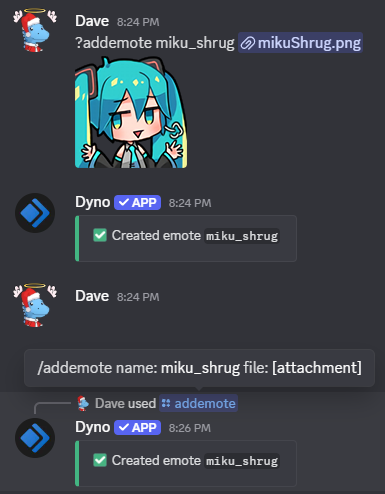
Notes:
- When using image URLs, only Discord CDN and Media links are allowed, and they must be
.jpg,.png,.webpor.gif.- Don’t supply both an image URL and a file. Only use one of the two.