How to Get ID's
Simple guide on how to copy ID's on PC, mobile, or by using Dyno!
How to Get ID's
Using Dyno
You can copy a user's, role's or server's ID using Dyno's commands.
Tabs
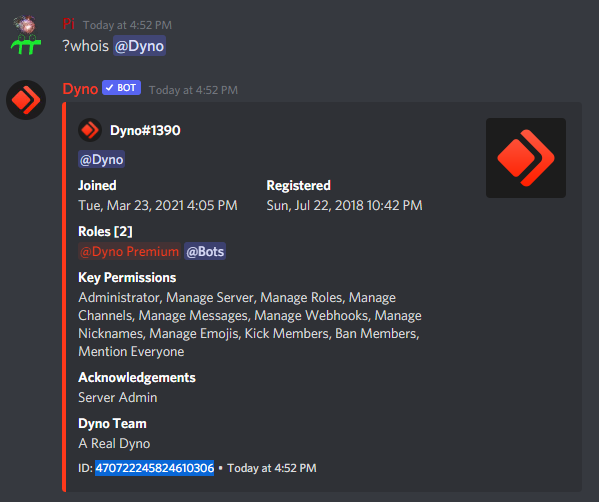
User ID
- Run the whois command on the user and copy the ID from the embed footer.
If you want to mention the user, use this syntax:
<@ID>
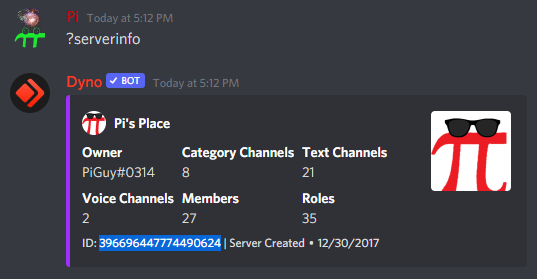
Server ID
- Run the serverinfo command in the server and copy the ID from the embed footer.
Role ID
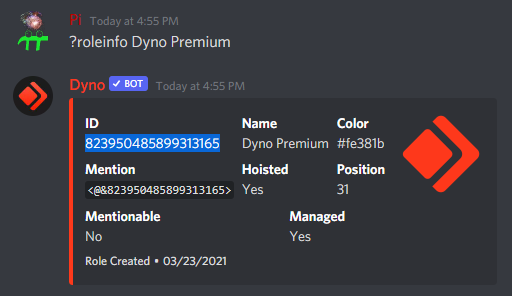
- Run the roleinfo command on the role and copy the
IDfield.
If you want to mention the role, copy the
Mentionfield or use this syntax:<@&ID>
Desktop/PC
Enabling Developer Mode
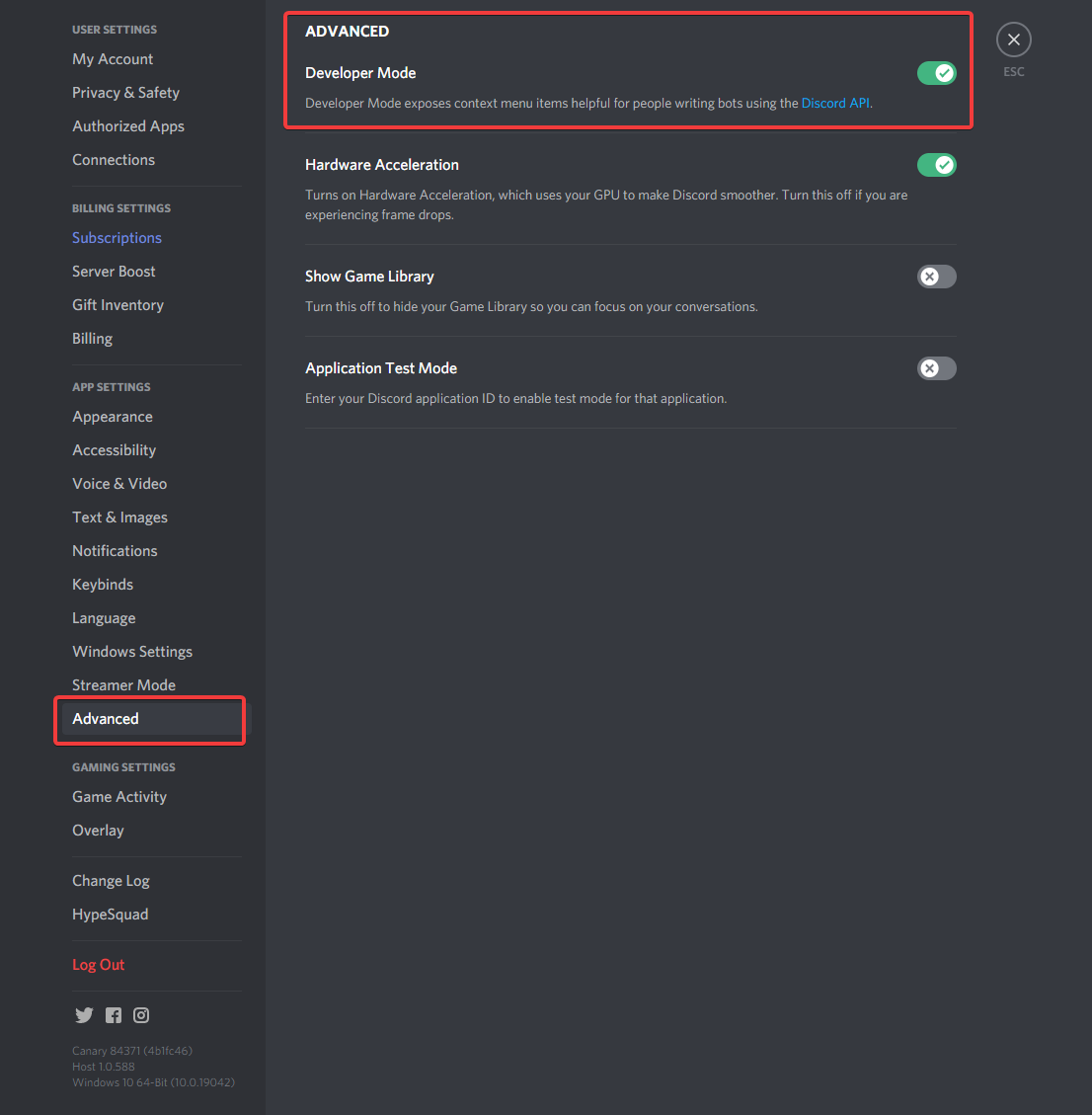
- Click on the gear icon near the bottom left-hand corner of your Discord window to enter your user settings page.
- Click on the
Advancedtab. - Click the slider to enable
Developer Mode. This is the setting that will allow you to copy IDs from the right-click menu.
Copying ID's
Tabs
User ID
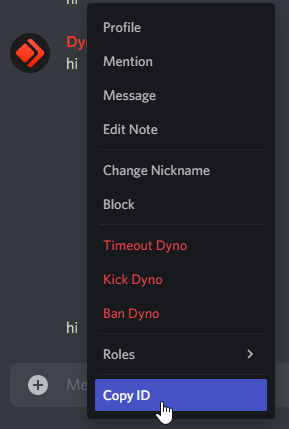
- Right click on the user's name or avatar and select
Copy User ID.
If you want to mention the user, use this syntax:
<@ID>
Server ID
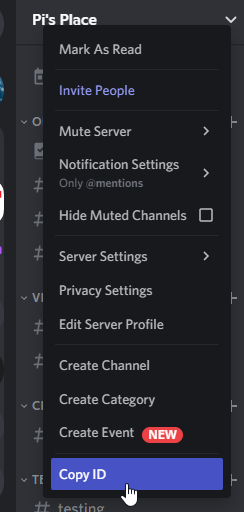
- Right click on the server name or icon and select
Copy Server ID.
Role ID
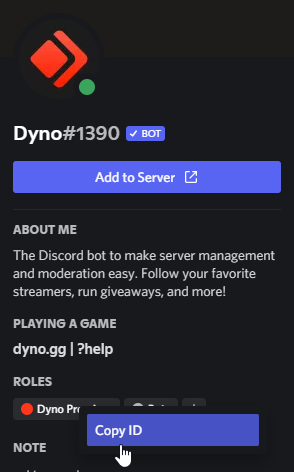
- Right click on the role name on someone's profile and select
Copy Role IDOR - Click the 3 dots next to the role in
Server Settings->Rolesand selectCopy Role ID.
If you want to mention the role, use this syntax:
<@&ID>

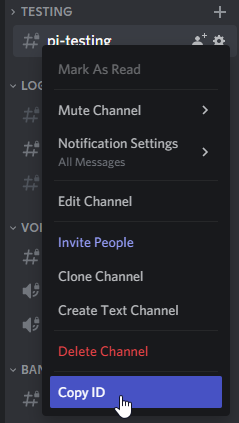
Channel ID
- Right click on the channel name and select
Copy Channel ID.
If you want to mention the channel, use this syntax:
<#ID>
Message ID
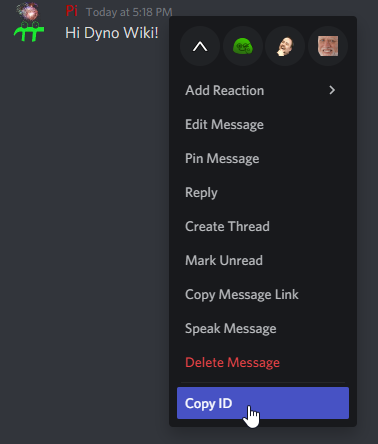
- Right click anywhere on the message (EXCEPT on a user) and select
Copy Message IDOR - Click the three dots next the the message and select
Copy Message ID.
Mobile
Enabling Developer Mode
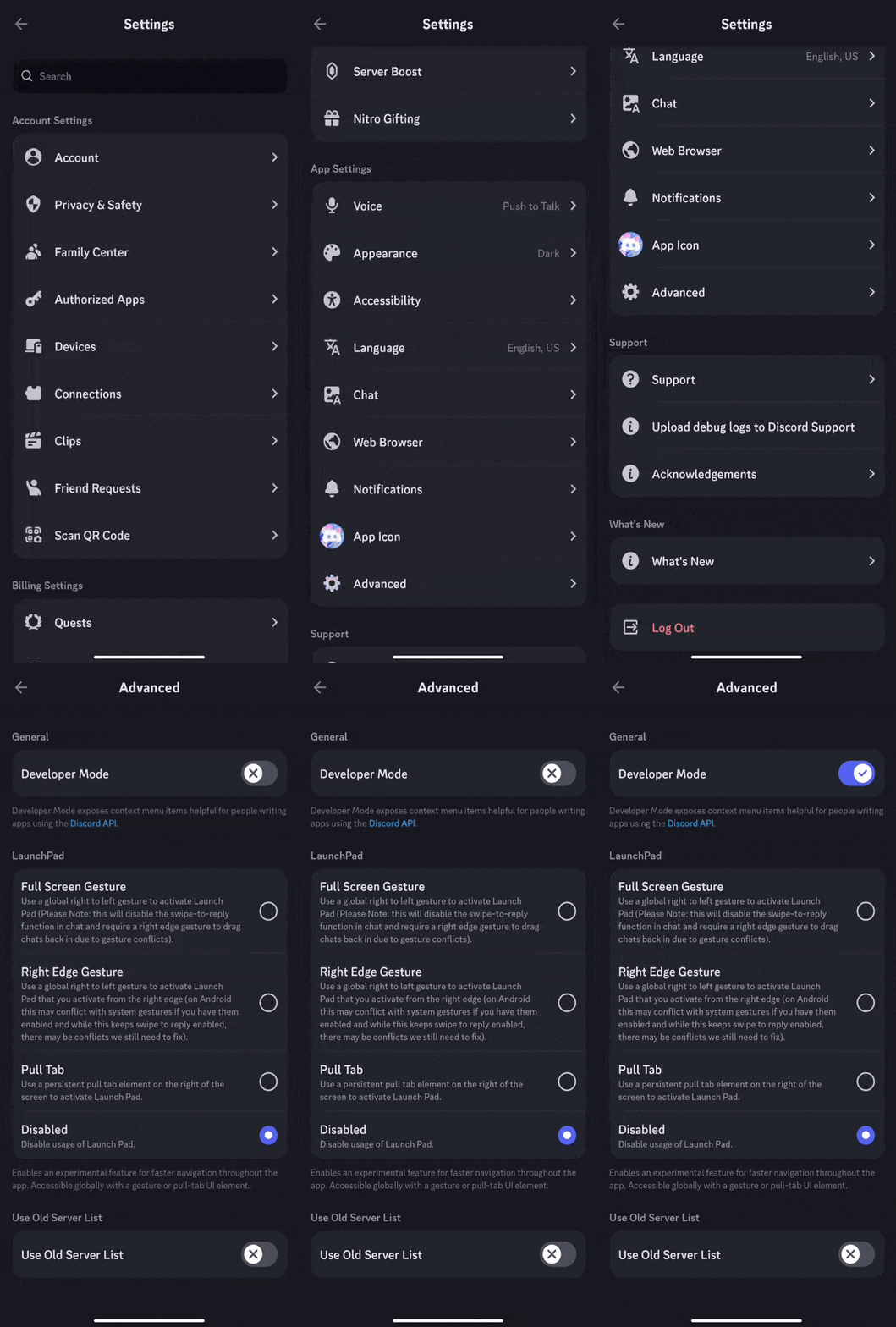
- Tap your avatar in the bottom right-hand corner of the screen twice to enter your user settings page.
- Tap the
Advancedtab. - Tap the slider to enable
Developer Mode.
Copying ID's
Tabs
User ID
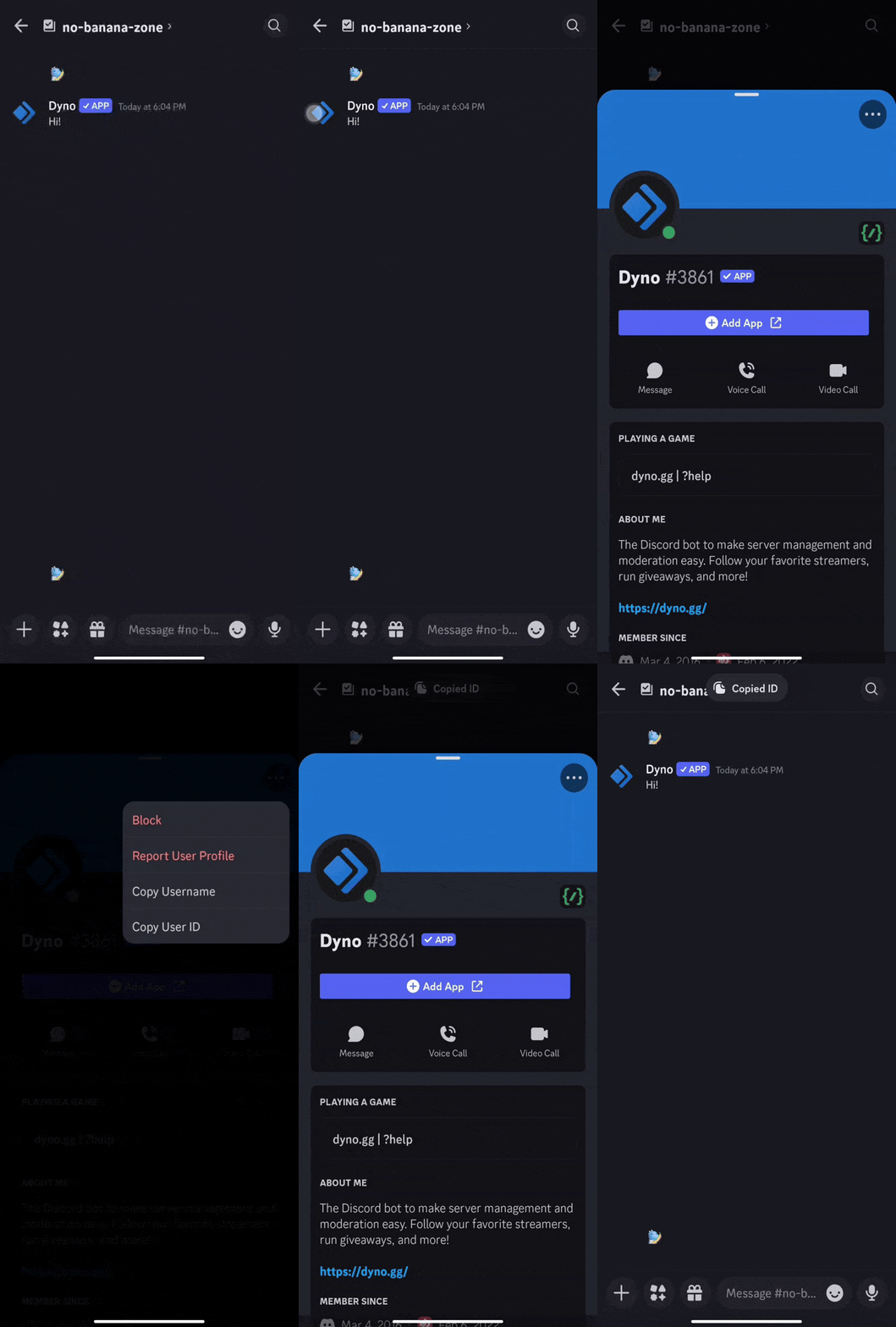
- Open the user's profile.
- Tap on the 3 dots at the top right of their profile.
- Select
Copy User ID.
If you want to mention the user, use this syntax:
<@ID>
Server ID
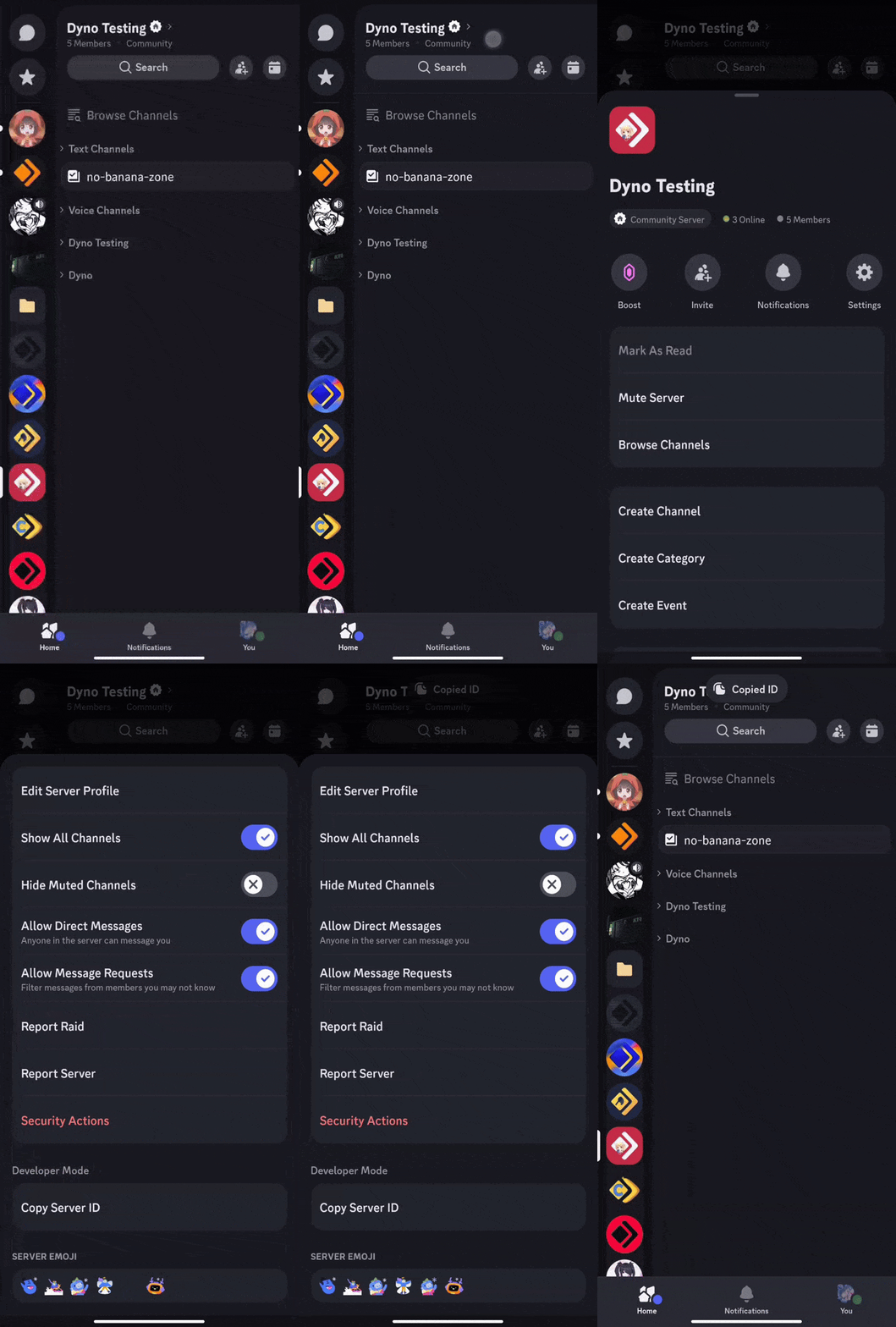
- Tap on the server name and select
Copy Server ID.
Role ID
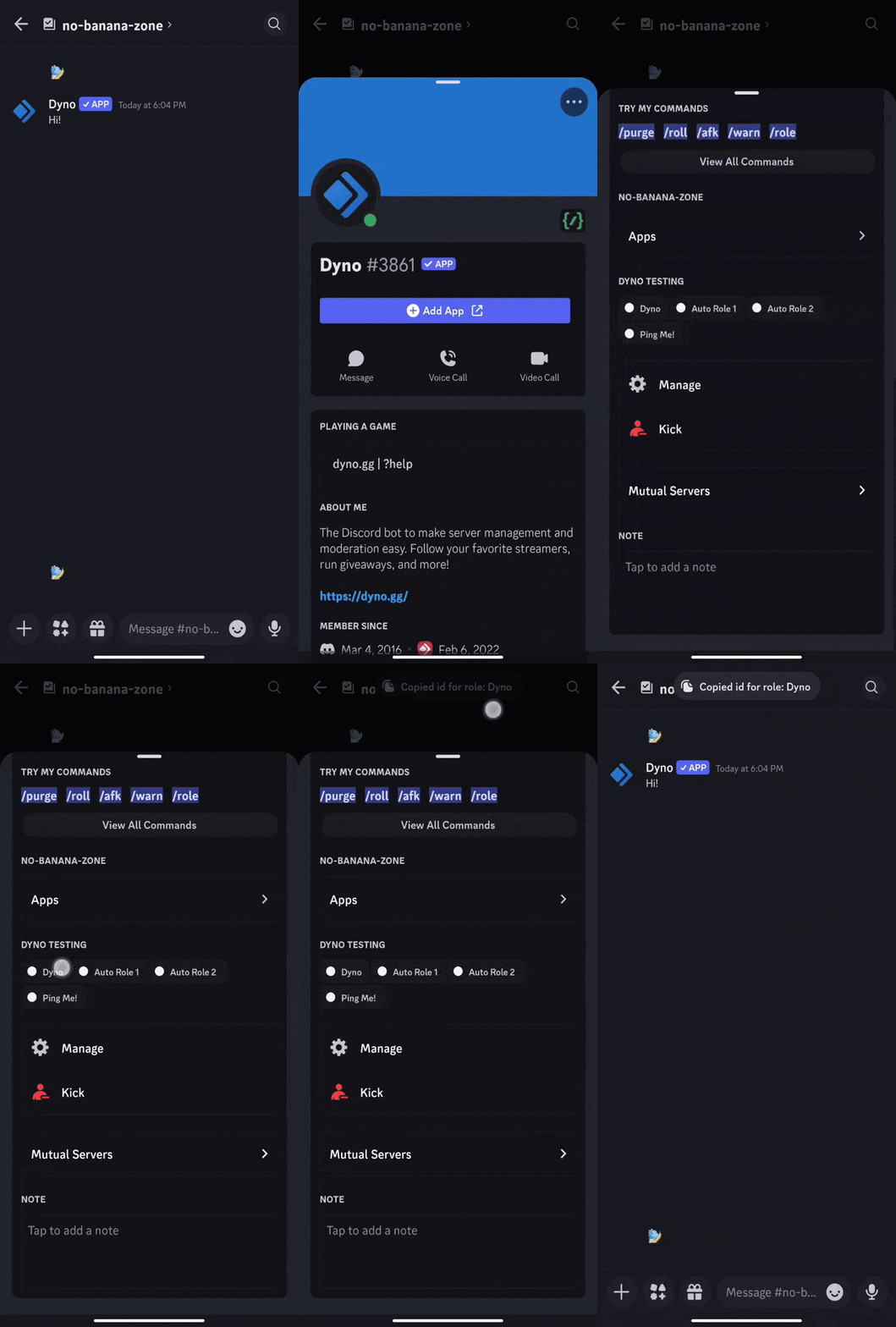
- Tap on the role on someone's profile.
If you want to mention the role, use this syntax:
<@&ID>
Channel ID
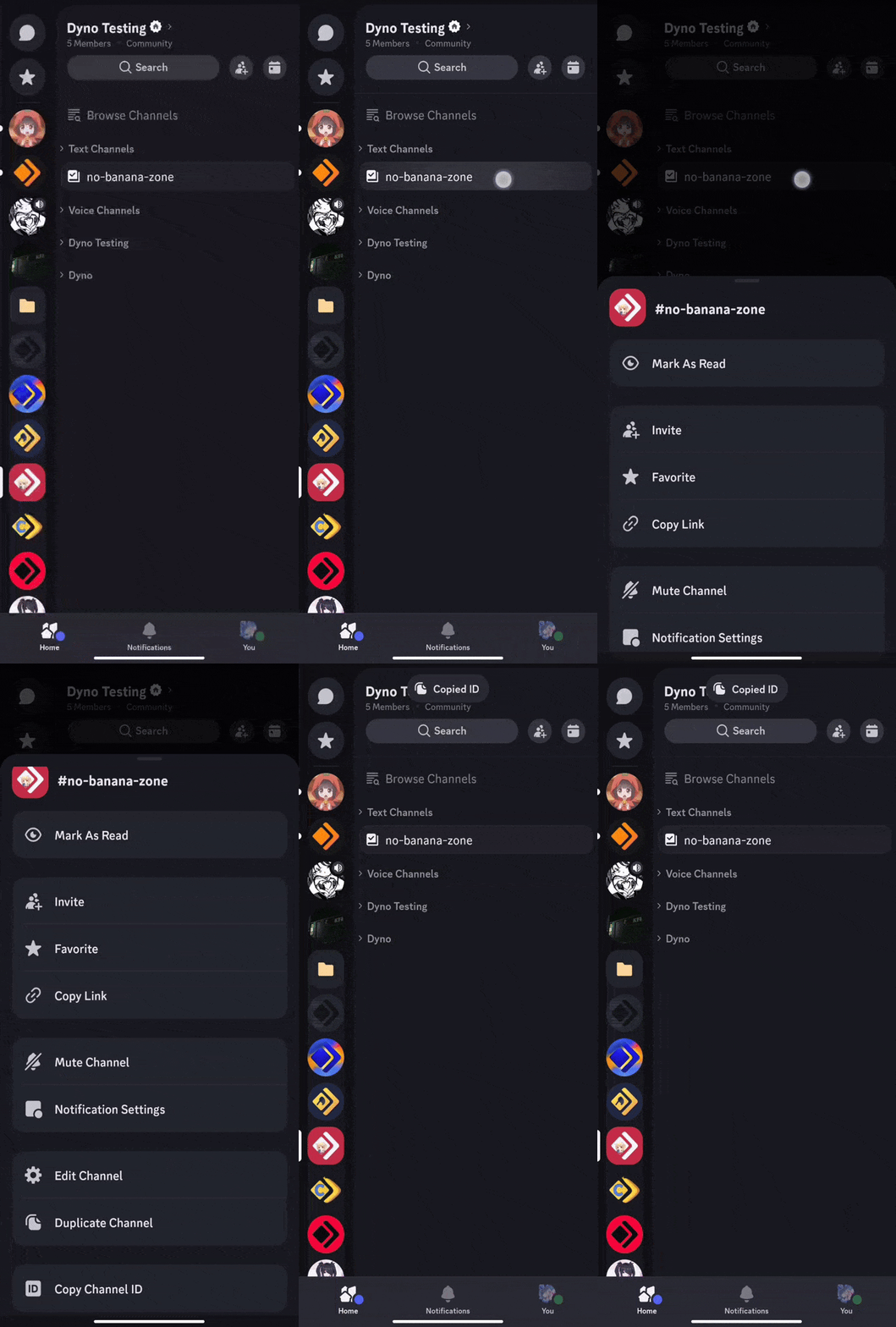
- Long press on the channel and select
Copy Channel ID.
If you want to mention the channel, use this syntax:
<#ID>
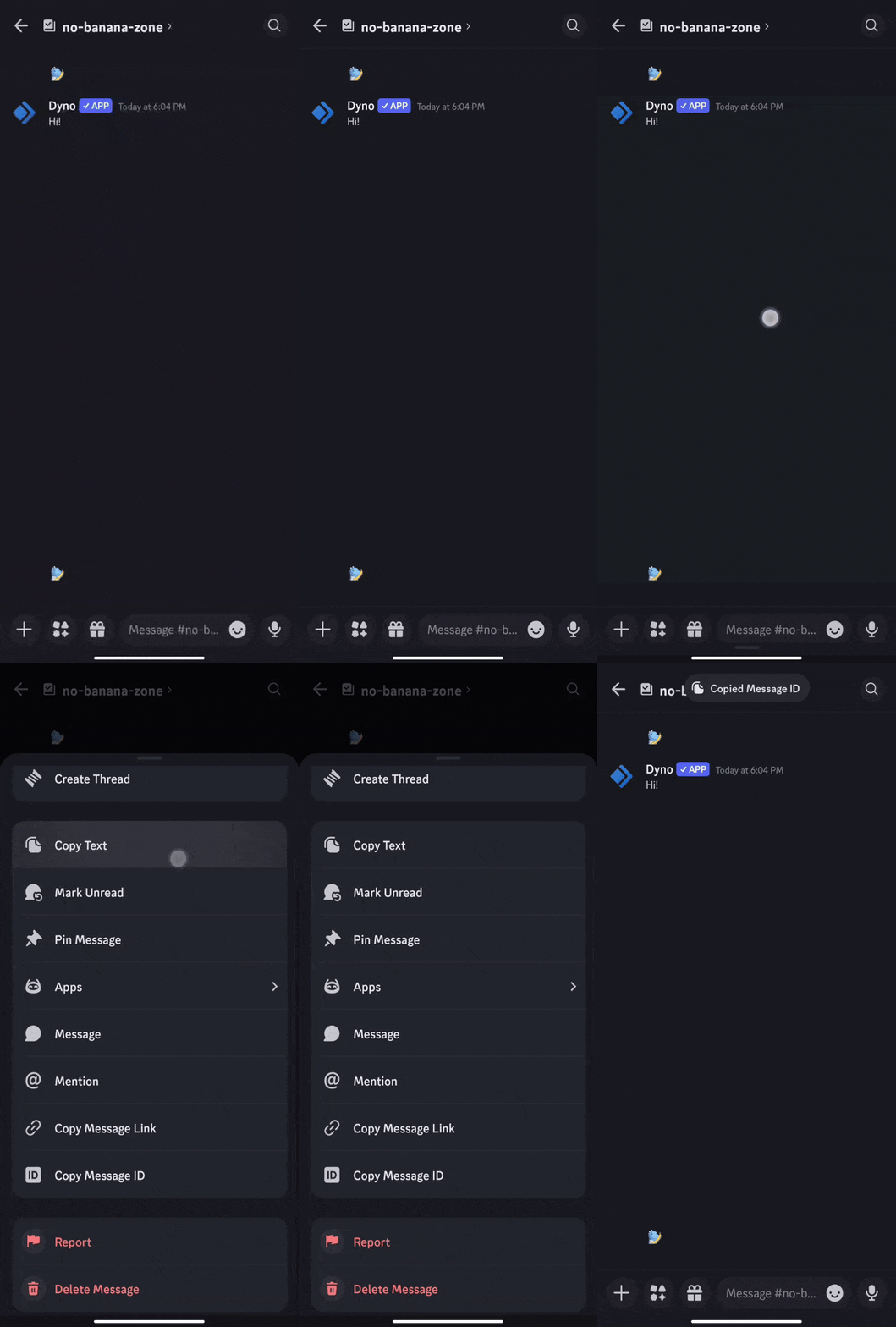
Message ID
- Long press on the message and select
Copy Message ID.