Announcements
The Announcements module allows you to set up Join, Leave or Ban messages.
Overview
The Announcements module allows you to set up Join, Leave or Ban messages. When a member joins/leaves/is banned, these messages will be automatically sent into your selected "Announcement Channel".
Permissions Check
- Make sure Dyno has these permissions in your Announcement channel:
View ChannelSend MessagesEmbed Links
How to set up Announcements
- Head over to your account and select your server.
- Click on the
ModulesTab. - Ensure that the
Announcementsmodule is enabled. - Click the
Settingsbutton underneath the module. - Check each box at the top which you would like to enable.
- Select an
Announcement Channelwhere Dyno should send the messages. - Choose whether you want the message to be a plain text message or an embed.
- Type your desired messages in the boxes which you have enabled or edit your embed if chosen.
- Be sure to press the
Updatebutton after typing your message to save it. Once that's done, you're all set!
For more information on configuring embeds, visit this page.
Please note:
- You must select a channel and
Enable Join Messages, even when you're using the DM option.- Be aware that Dyno ignores bots. If a bot joins, it will not be announced.
Announcement Variables
{user}- The user that has joined. For example,Welcome {user}!{avatar}- The avatar of the user. For example,Have a look at {username} avatar! {avatar}{username}- The username of the user. For example,Hello {username}!{server}- The server's name{@user}- Mention a user by their username, replace "user" with their username. For example,{@Nooblance}{&role}- Mention a role by name, replace "role" with the role name. For example,{&Gamers}, We're streaming now!{#channel}- A channel link, replace "channel" with the name of the channel you want to link. For example,Use {#testing} for all bot testing{everyone}- Mentions@everyone{here}- Mentions@here
If you're looking to add custom emojis to your message follow this guide! Just keep in mind Dyno needs to be in the server where that emoji is from.
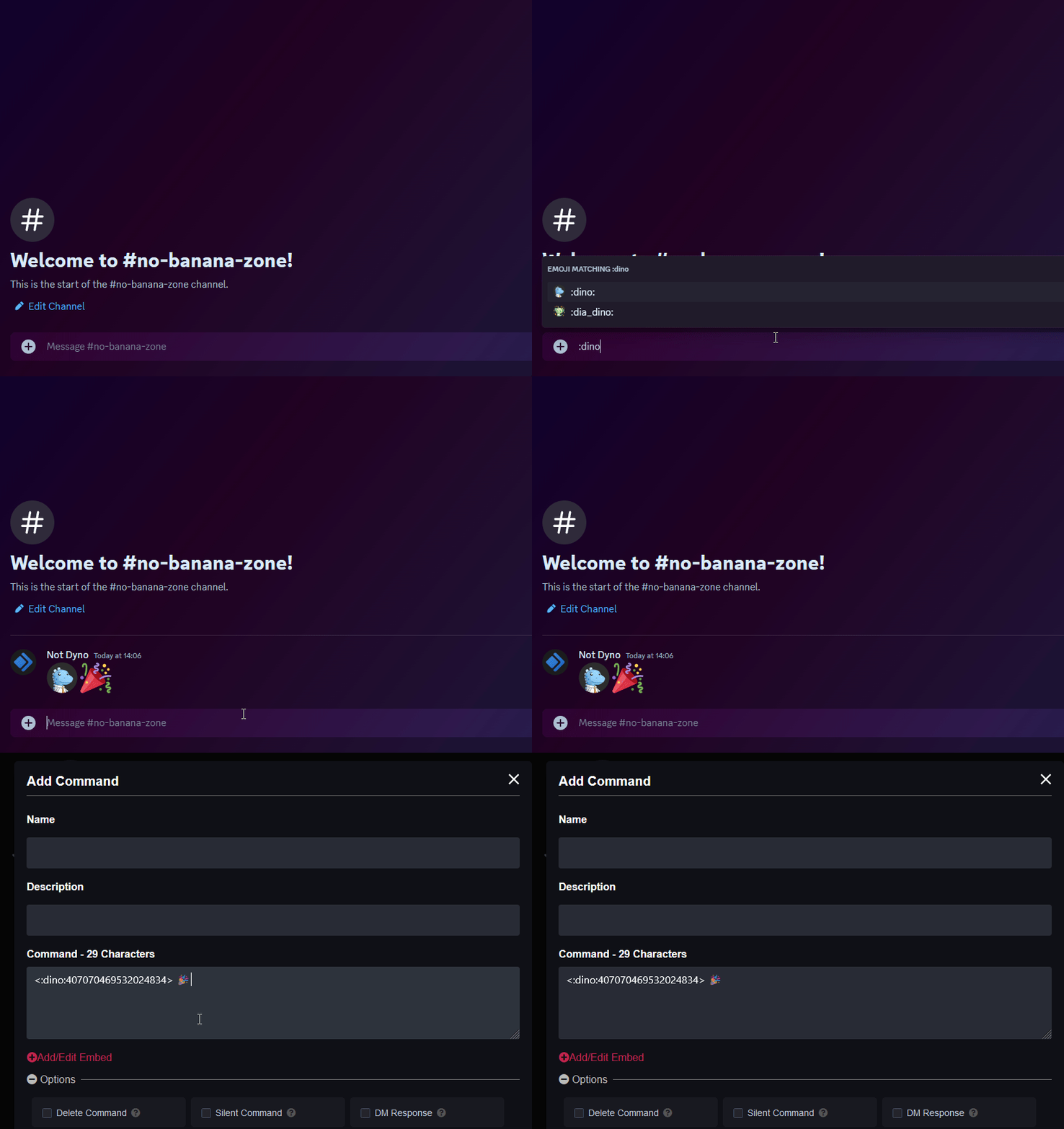
Please note:
- Please keep in mind that Dyno will mention roles, but will not ping them currently due to the feature being disabled. This functionality will be added back in the future however.
- The
{user}variable will display the username instead of mentioning the user since the ping will not resolve anymore (it will show as @unknown-user)
Announcement Commands
| Command (click for more info) |
Description |
|---|---|
| /announce | Send an announcement using the bot. Optionally also ping a role, @everyone, or @here. |
These commands will not work if the Announcement module is disabled.
Troubleshooting Steps
- Make sure Dyno has the permissions specified here.
- Run the
/diagnose command_or_module:announcementscommand and make sure the module is enabled. If it is not, run/module module:announcementsor enable it on the dashboard. - Make sure you have an
Announcement Channelset. - If your join message sends in a DM, make sure the users joining have the
Allow direct messages from server membersoption in User Settings > Privacy & Safety enabled. Otherwise, Dyno will not be able to DM them. - If your join message sends in a DM, make sure you still have
Enable Join Messagesenabled and anAnnouncement Channelset. - If your message includes an embed with an image, make sure the image ends in a valid file extension such as
.pngor.gif. An easy way to get a valid link is to upload the image to Discord, right click it (or tap and hold on mobile), and selectCopy Image Link. - If you are inviting/kicking/banning a bot account to test the message, Dyno will not send the message as it ignores bots.