¶ Overview
The Kick module allows you to subscribe to Kick streamers. Once you subscribe to one, Dyno will automatically post a message into a channel of your choice whenever the streamer goes live.
Kick is a Premium feature.
Click here to upgrade to Premium!
Permissions Check
- Make sure Dyno has the following permissions in your Kick channel(s):
View ChannelManage WebhooksSend MessagesEmbed LinksMention @everyone, @here and All Roles
¶ How to set up Kick
- Head over to your account and select your server.
- Click on the
Modulestab. - Find the
Kickmodule and click theSettingsbutton underneath it. - Select the
Channel to Post, where stream announcements will be made. - Enter the username of the
Streameryou want to follow. - If you would like, you can customize the message Dyno sends by clicking the
Edit Messagebutton. A list of variables you can use is located under theVariable Referencetab. - Click the
Addbutton to add your subscription! Dyno will now post a message whenever the streamer you followed goes live.
More Info:
- This module uses webhooks. Visit this page to learn more about webhooks.
- For more information on configuring embeds, visit this page.
- You can use IDs to mention users, roles, and/or channels. For more information on how to mention using IDs, visit this page.
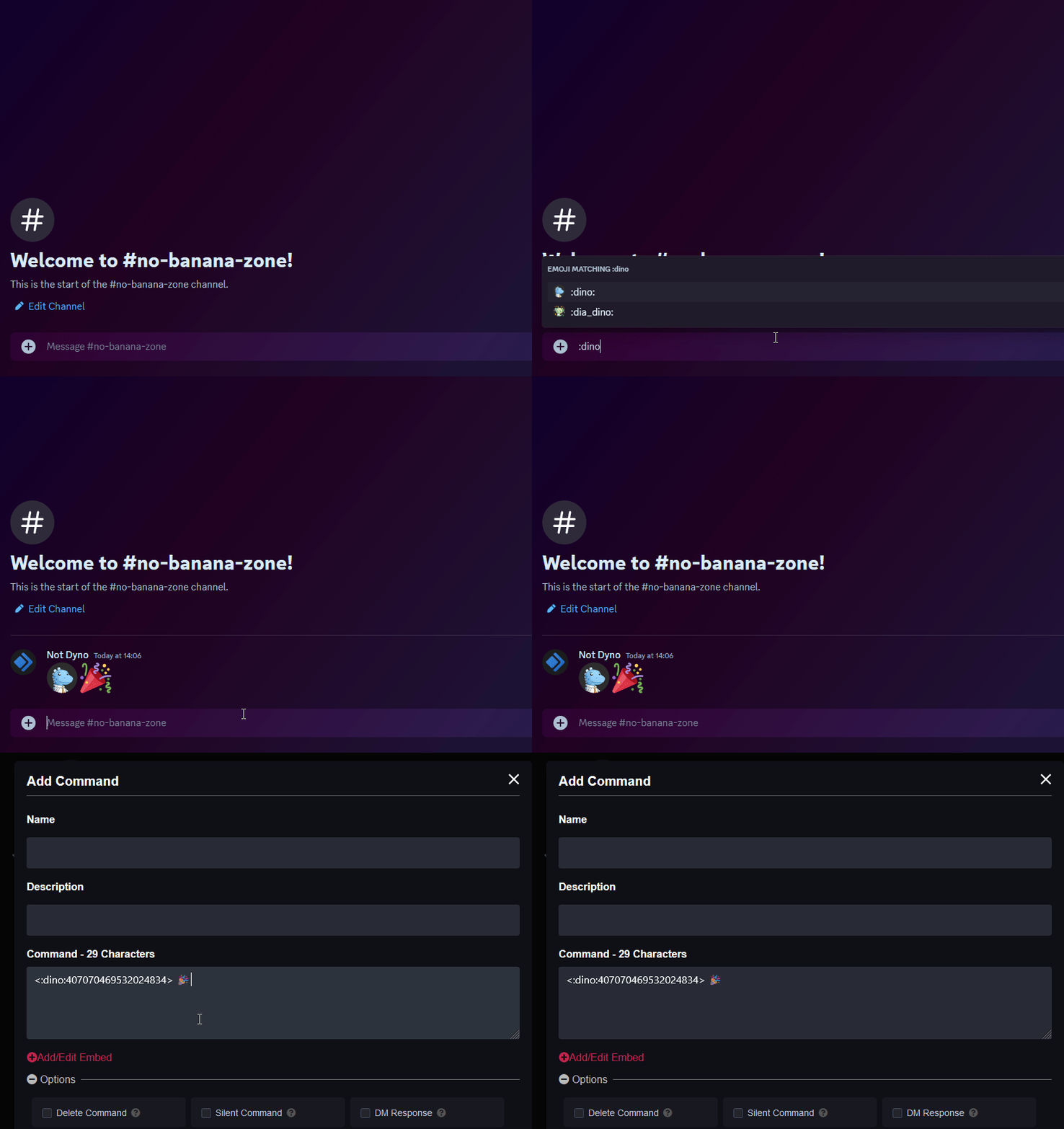
- If you’re looking to add custom emojis to your message follow this guide! Just keep in mind Dyno needs to be in the server where that emoji is from.
¶ Kick Variables
{streamTitle}- The title of the stream{streamLink}- The URL to the stream{game}- The name of the game the streamer is currently playing{streamer}- The display name of the streamer{streamerAvatar}- The avatar of the streamer{streamPreview}- A preview image of the stream
¶ Troubleshooting Steps
- Make sure Dyno has the permissions specified here.
- If the stream was not live for at least 10 minutes it’s possible Kick never sent the notification for Dyno to post.
- In the announcement channel, go to
Edit Channel > Integrationsand check if Dyno created a webhook in the channel. If not try deleting the subscription from the dashboard and re-adding it to reset it so Dyno creates a new webhook in the channel. - Currently if your channel has no avatar and you try adding it, it will fail to resolve. To fix this issue, upload an avatar to your Kick account and then try again.