¶ Overview
The TikTok module allows you to subscribe to certain TikTok Channels. Once you subscribe to one, Dyno will automatically post a message into a channel of your choice whenever the TikToker uploads a new tiktok.
TikTok is a Premium feature.
Click here to upgrade to Premium!
Permissions Check
- Make sure Dyno has the following permissions in your TikTok channel(s):
View ChannelManage WebhooksSend MessagesEmbed LinksMention @everyone, @here and All Roles
¶ How to set up TikTok
- Head over to your account and select your server.
- Click on the
Modulestab. - Find the
TikTokmodule and click theSettingsbutton underneath it. - Select the
Channel to Post, where the announcements will be made. - Enter the
TIKTOK USERNAMEof the TikToker you want to follow. - If you would like, you can customize the message Dyno sends by clicking the
Edit Messagebutton. A list of variables you can use is located under theVariable Referencetab. - Click the
Savebutton to add your subscription! Dyno will now post a message whenever the TikToker you selected uploads a new tiktok.
More Info:
- This module uses webhooks. Visit this page to learn more about webhooks.
- For more information on configuring embeds, visit this page.
- You can use IDs to mention users, roles, and/or channels. For more information on how to mention using IDs, visit this page.
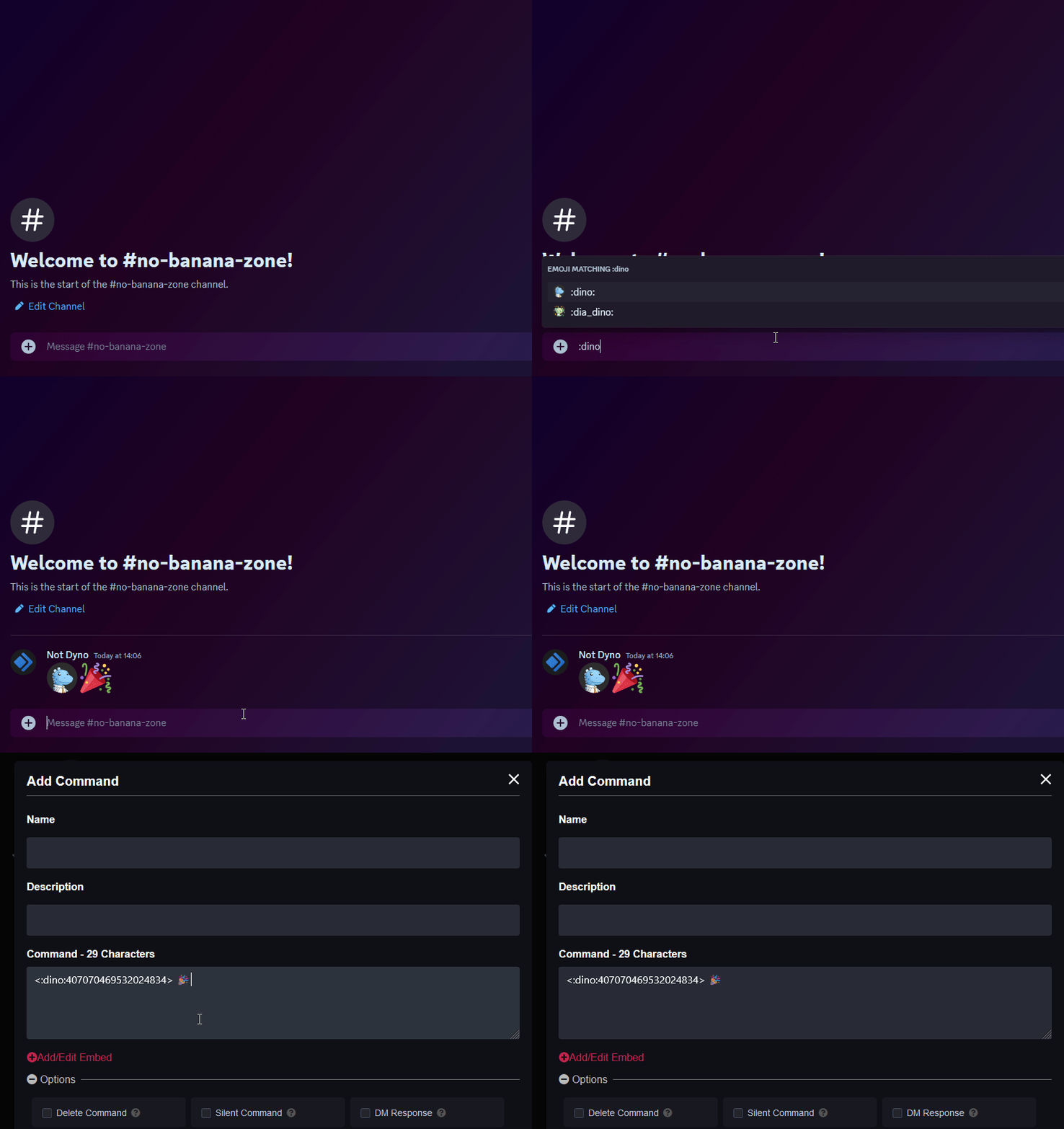
- If you’re looking to add custom emojis to your message follow this guide! Just keep in mind Dyno needs to be in the server where that emoji is from.
¶ TikTok Variables
{username}- The username of the TikToker{profilePicture}- The profile picture of the TikToker{caption}- The caption of the video{hasless_caption}- The caption of the video without hashtags{link}- The link to the TikTok{preview}- The thumbnail of the video
¶ Troubleshooting Steps
- Make sure Dyno has the permissions specified here.
- In the announcement channel, go to
Edit Channel > Integrationsand check if Dyno created a webhook in the channel. If not try deleting the subscription from the dashboard and re-adding it to reset it so Dyno creates a new webhook in the channel.