Tags
The Tags module allows users to utilize, create, edit or delete tags. Tags are used to store text that can be used later on.
Overview
The Tags module allows users to utilize, create, edit or delete tags. Tags are used to store text that can be used later on. When you create a tag, you can then call that tag with the /tag get command, and Dyno will post the full message for you in the channel. Tags save you repeating pieces of text each time; you can simply call a pre-written tag instead.
How to set up Tags
You are able to configure Tags by using the dashboard or by using commands.
Set up using the dashboard
- Head over to your account and select your server.
- Click on the
Modulestab. - Ensure the
Tagsmodule is enabled. - Click the
Settingsbutton underneath the Tags module. - Check the box
Limit creating tags to Allowed Rolesif you wish to allow only a certain role to be able to create tags by command. If you select this, you can set yourAllowed Rolesbelow. This also allows those users to edit tags they've created. - Enter your
Tag Name. This is the name you will use to call your tag. - Enter your
Tag Content. This is the message that will be sent every time you call your tag. - Save your tag using the
Add Tagbutton. You can now call your tag by running/tag get name:TagName.
Extra Info:
- While there are no variables available in Tags, you can use IDs to mention users, roles, and/or channels. For more information on how to mention using IDs, visit this page.
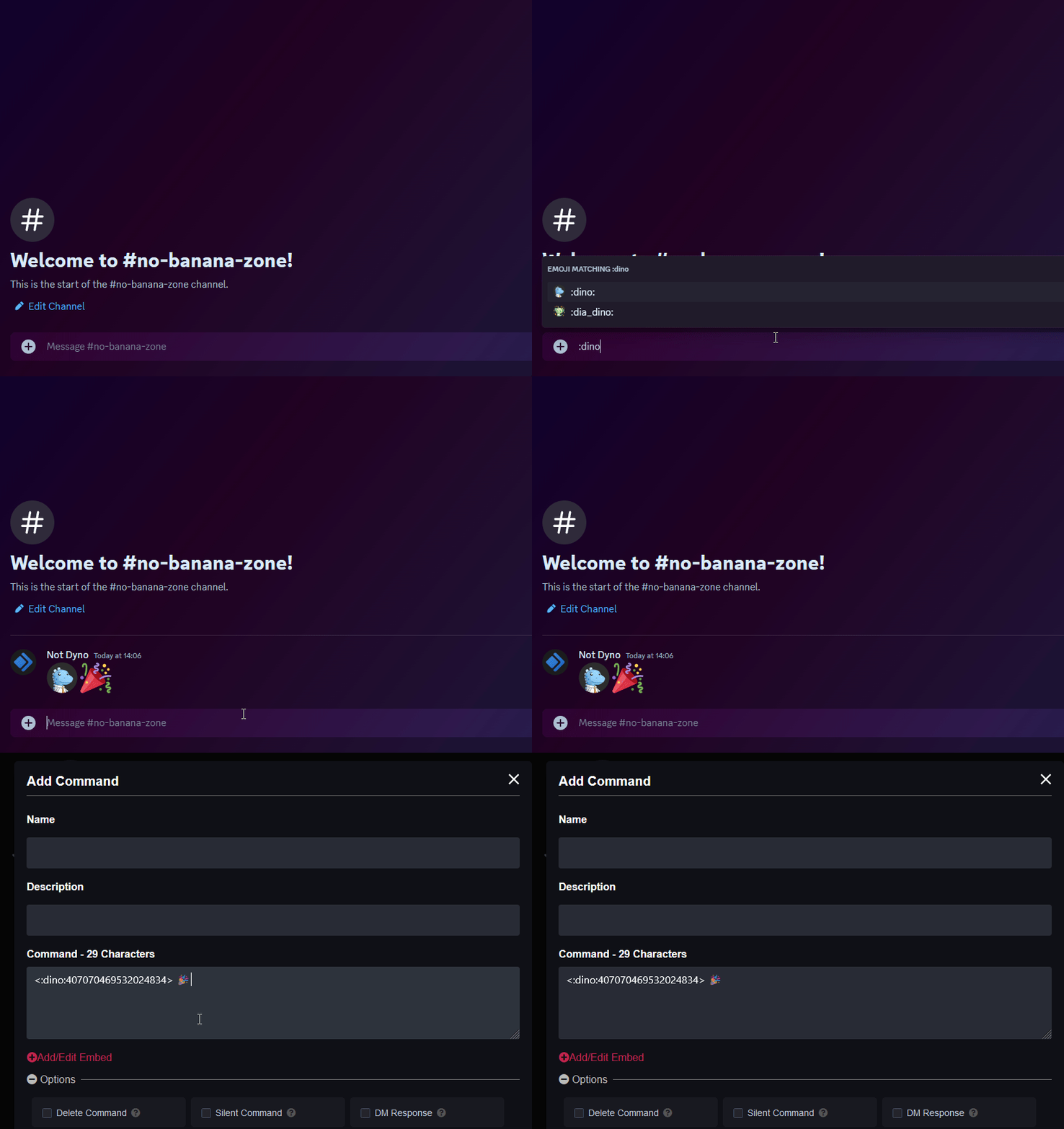
- If you're looking to add custom emojis to your message follow this guide! Just keep in mind Dyno needs to be in the server where that emoji is from.
Tag Commands
| Command (click for more info) |
Description |
|---|---|
| /tag get | Get or create a tag. |
| /tag raw | Get the raw tag for use copying/editing. |
| /tag category | Create a tag category. |
| /tag categories | List tag categories. |
| /tag create | Create a new tag. |
| /tag edit | Edit an existing tag. |
| /tag delete | Delete an existing tag. |
| /tag delcat | Delete a category. |
| /tags | Get a list of tags, use the /tag get command to then fetch a tag. |
These commands will not work if the Tags module is disabled.